
A free screen recorder for any website
Record any tab or website straight from Chrome — with webcam, voiceover, and cinematic zoom built in. Wrap it in a real device mockup and export a polished MP4 in minutes. No desktop app, no account.
Get the free Chrome extension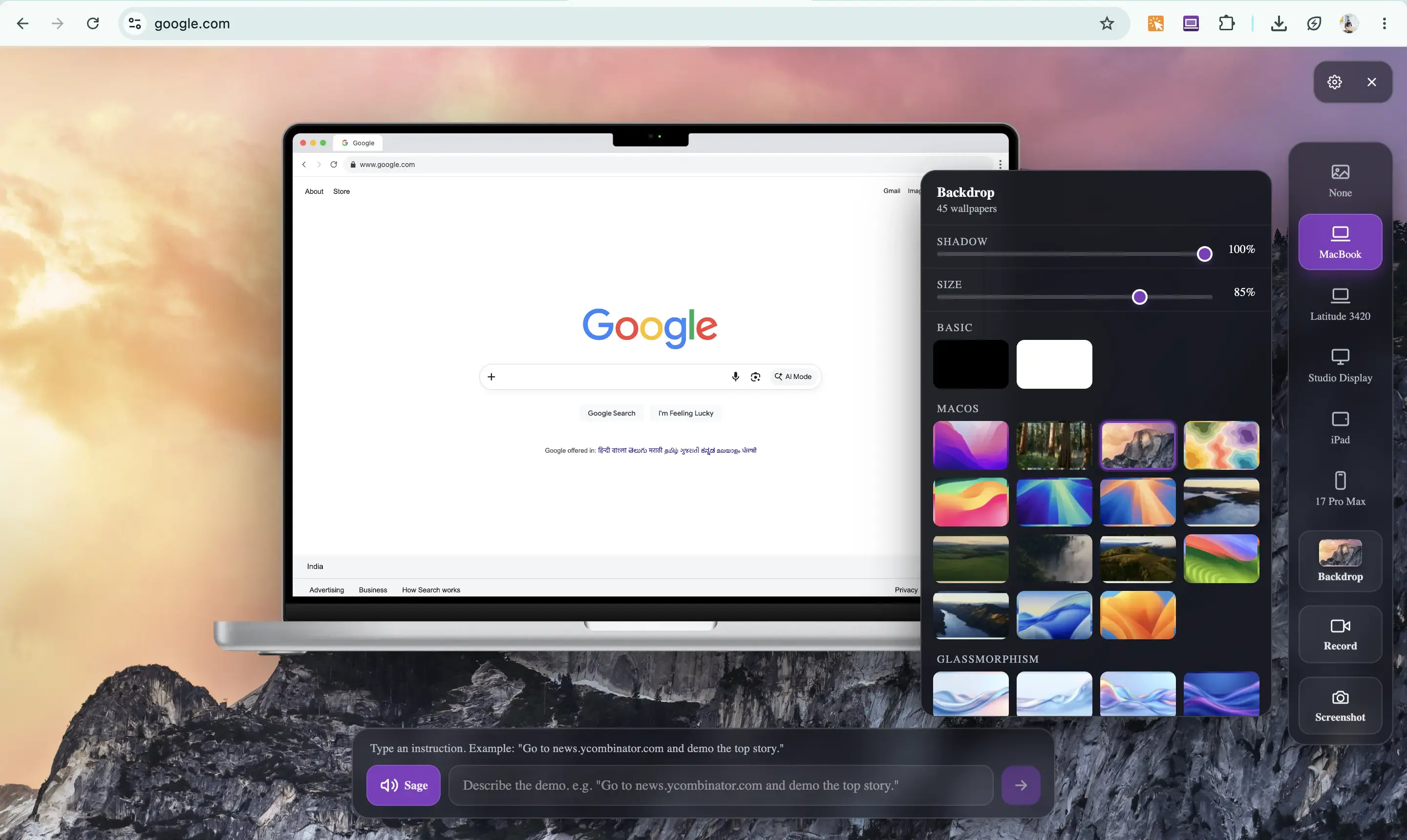
Everything you need to record — for free
Most free screen recorders stop at a raw capture. Screenlet records, narrates, and polishes the video in one place, so you never have to export to a separate editor.
- Records any browser tab or website in 1080p HD
- Webcam bubble and microphone voiceover in one take
- Cinematic zoom editor — no separate video tool needed
- Real device mockups (MacBook, iPhone, iPad, Studio Display)
- Export to MP4 or WebM, ready for social and landing pages
- Runs locally in your browser — recordings aren't uploaded to a server
Looking to move off a paid tool? See how Screenlet compares as a free Loom alternative or a Screen Studio alternative.
Free screen recorder FAQ
Is Screenlet's screen recorder really free?
Yes. The free plan gives you device mockups, recording, the zoom editor, webcam and voiceover at full 1080p, and one AI agent video. Exports on the free plan carry a small screenlet.org watermark; the one-time $29 Lifetime plan removes it and unlocks unlimited recordings.
Does the free screen recorder add a watermark?
The free plan adds a small screenlet.org watermark to exports. The Lifetime plan removes the watermark entirely and unlocks unlimited recordings and screenshots.
Do I need to download any software?
No. Screenlet is a Chrome extension. Add it from the Chrome Web Store and start recording right away — no desktop app, no signup, nothing to install beyond the extension.
Can I record with my webcam and voice?
Yes. Drop in a draggable webcam bubble and record a microphone voiceover, all captured into a single smooth HD video alongside the screen recording.
Start recording for free
Add the Chrome extension and turn any website into a polished video in minutes.
Get the free Chrome extension